Removing an access point from a network
In cases where an access point is no longer needed as part of a network, it may be disabled by deleting it from the network or moving it to a new or unused network.
Environment 
- Datto Access points
Overview
While access points do not have a dedicated disable feature, you can remove them from the network, or you can shut down the access point by removing its power.
To remove an access point from a network:
-
In the Navigation menu, click Access Points.
-
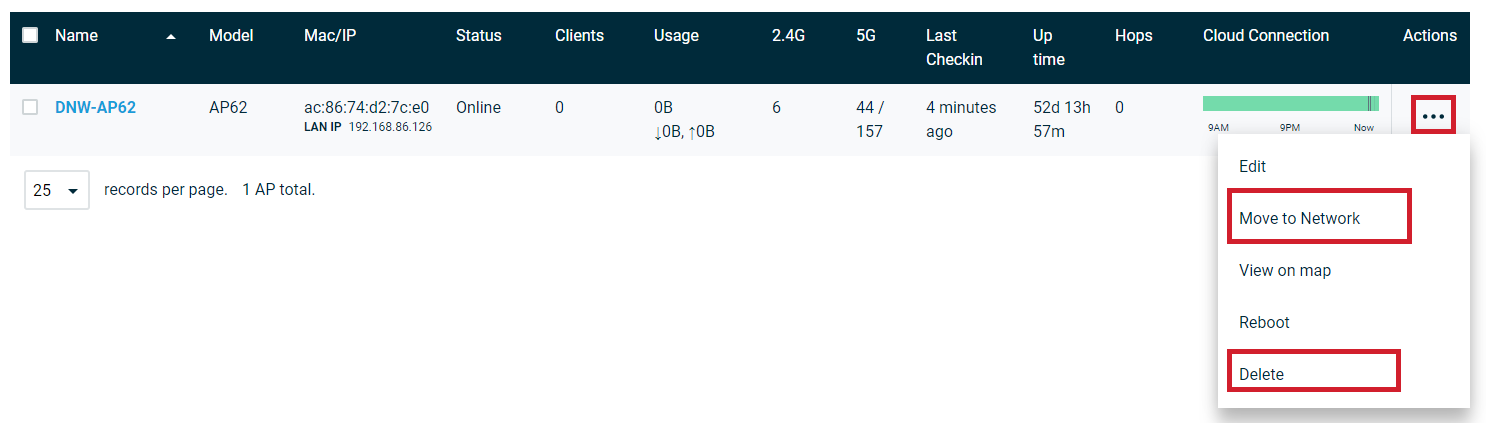
Navigate to the access point you wish to disable, then click the ellipsis icon in the far right-hand column. Choose either:
- Move to Network to move the access point to another network not broadcasting an SSID.
- Delete to delete the access point.